Showing posts with label how to. Show all posts

Monday, 26 September 2011

How To Photograph Beautiful River Scenes


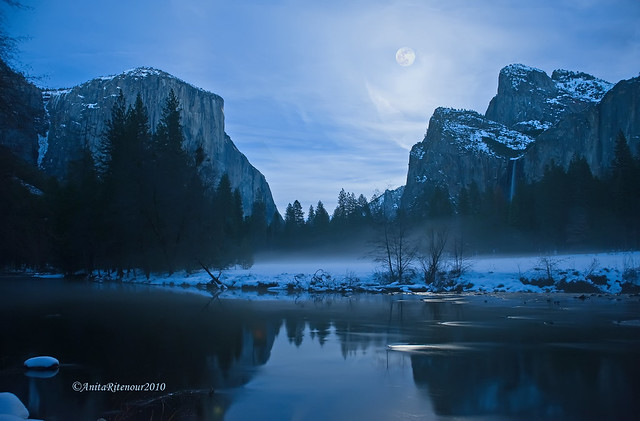
Photo by Joel Bedford


Rivers make a wonderful subject for the outdoor photographer yet I find people rarely set out with the intention to photograph them. I find they offer an abundance of opportunities from grand sweeping vistas to detailed abstracts to wildlife as well as being fantastic places to enjoy the outdoors.


Photo by  MikeBehnken


Having photographed many river locations I find they all have their own unique character. I see my role as the photographer being to identify and emphasise this character. I do this by asking myself a series of questions when I first arrive at a location:
  • Is this a large and impressive river or a small natural bubbling stream?
  • Is this a setting people might describe as being idyllic and picturesque or is it more of an urban or industrial setting?
  • Is the river clean and pure or dirty and full of litter?
  • Does the setting convey a feeling of tranquillity and calm or are there other emotions it sparks and if so what?
  • Is the river fast moving and powerful or more slow and sedate?
  • Is the water rough surface rough and broken by rocks or flat, calm and full of reflections?
With these essential questions answered I turn my attention to capturing images by assessing and deciding how to use a number of factors.

Photo by joiseyshowaa

Weather and light

The weather conditions, time of day and time of year all help in determining the type and quality of light you will have to work with. It may sound obvious but you can't do too much about these factors so look to create photographs that make the most of the light you have available.

Photo by Steve-h

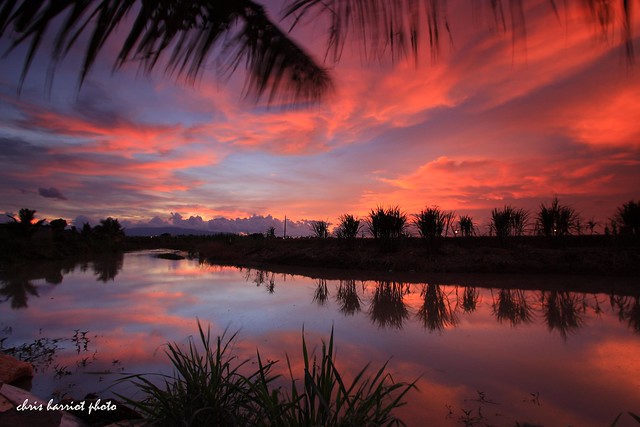
Early morning and late evening light is probably what most photographers think of as being the best light. Typically the sky is colourful and with larger, slower moving rivers, this great light will be reflected making the river appear to glow. Shutter speeds will be longer at this time of day which also helps smooth out the surface of the river. This is probably the best lighting conditions to create a mood of calm and tranquillity. It's not always easy to organise yourself to be out photographing at this time of day but it is immensely rewarding in terms of images and the sheer pleasure of watching a sunset or sunrise.

Photo by Ian Sane


Midday light, at least outside the winter months, tends to be a little harsh and it can be difficult to reflect the character of the river in its setting. If however the river is in an urban landscape this type of lighting can still work well at it can be used to emphasise the unattractive elements. Also if the river is strong and powerful you can use the bright lighting to freeze the action. If you find yourself trying to work under harsh lighting conditions that don't suit you location, try to seek out wooded areas where there is plenty of shade or focus in on capturing detail shots.


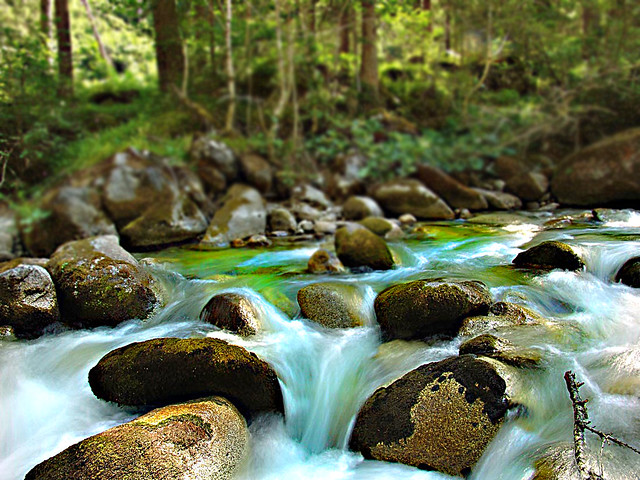
The same advice also tends to hold true for bad weather such as rain. Also immediately after a rain storm, when the weather breaks can also produce magical lighting. The clearing rain storm in the image above produced very dramatic lighting, despite being shot at midday. The rain also helped swell the river to give a great cascading effect over the rocks.

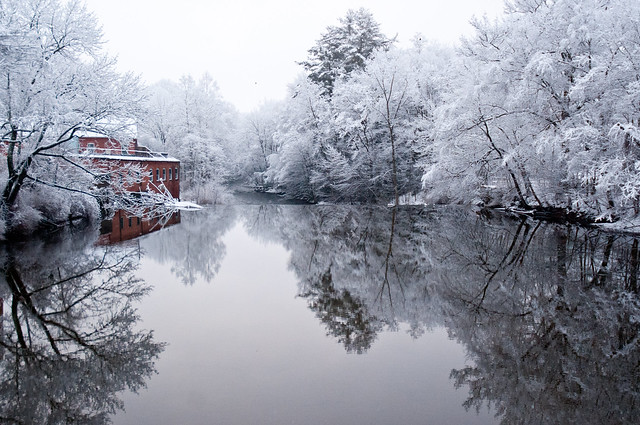
The weather condition that is one of the best for adding mood and character is mist and fog. Rivers in autumn are often great locations for mist early and late in the day. Such conditions tend to be best around sunrise and sunset, often catching the colour of early morning sun. Look for the larger slow moving rivers located in open fields as these often give rise to the best mist.

Photo by Steve Gatto

Autumn is also a great time of year to photograph rivers and streams in woodland areas. Trees will be changing colour making for vibrant scenes. Leaves will be falling into the river, often gathering in pools around rocks. Here be on the lookout for opportunities to shoot swirling patterns caused by leaves caught in the rivers current. With longer shutter speed this slow movement can be recorded as a swirling pattern. Consider using a polarizing filter to give a longer shutter speed but also to emphasise and saturate the vibrant autumn colours.


Composition

The direction in which you shoot the river can also have a huge impact on the character of you convey in your photograph. Shooting across a river tends to create a rather static image that flows in on one side of the composition and out on the other. If you have to compose with the river flowing horizontally across the image try to include something in the foreground of the frame to create a feeling of depth to the image.

Photo by Esparta Palma

Often large areas of the riverbank are nothing but grass. In this situations there is little to hold the viewers attention. Try to find locations where there is something to include in the foreground such as rocks and reeds.
Shooting along the river from its bank offers more potential especially where the river tends to bend and meander. Long straight rivers are less photogenic but can offer some potential. Look for long stretches where the perspective of the river can be emphasised using a wide angle lens. The best positions however tend to be on bends as this lets you show off the bend and lead the eye into the image. Curves are more photogenic and pleasing to the eye than straight lines. Bends also allow you to position yourself so you look like you are shooting from in the river. This can further be enhanced by a long lens to ensure there is no foreground. When doing this though remember to include a point of interest to focus the viewer's eye and attention.

Photo by Puliarf

Shutter Speed and Depth of Field

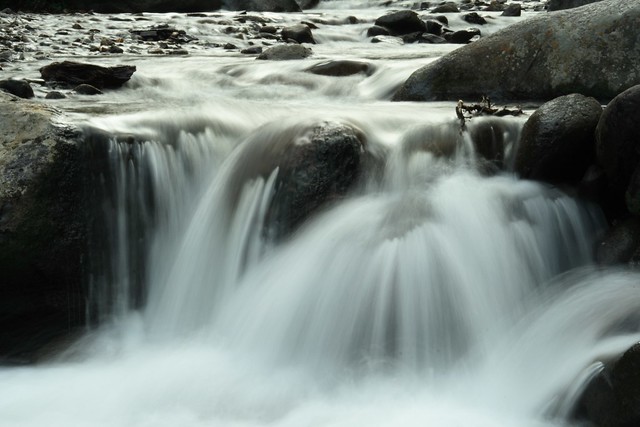
Finally, give some consideration to the shutter speed you will be using. Don't just stop down to a small aperture for good depth of field and accept the shutter speed. Increase the ISO a little if you need to as the shutter speed can be a big influence the character of the image you create. Long shutter speeds give smooth water and reflections, which all add to a sense of calm and tranquillity. Fast shutter speeds freeze the water and can really emphasise the feeling of power and strength in the water.

Written by Robin Whalley


Thursday, 22 September 2011

How To Enhance Your Photos With Free Photo Editing Online


Photo by ToriMBC

Free photo editing online is more and more interesting right now, because some big players enter a field of this industry or acquiring of it. Just like Google did to popular free photo editing online Picnik. Yahoo with Flicker the big storage photo online even if Adobe with Photoshop online edition.

Photo by Koshyk

People hope this will upgrade services and quality of free photo editing online which will enjoy a benefit and receiving positive buzz for user. Each of these sites has special quality their own which doesn't inferior to photo editing offline. In fact you don't need to install them, do not require download them and the good news they're all free charge. But some free photo editing online have some advance feature will charge on you, so explore them and enjoy it.

Photo by fRandi-shooters

Adobe Photoshop Express is a part of Adobe family that has set a professional photo editing pictures long ago with Photoshop. Now, it tried to do the same with series free photo editing online, it is named Photoshop Express which unites many of its powerful program burnishes with a simplified, user-friendly interface. It touches up imperfections, and fixes creativity like a pop color or distortion effect, some text, sketch or soft focus filter.

Photo by Nina Matthews


FotoFlexer gives a quite complete the most simple free photo editing online, low bandwidth-consumptive interface available in higher-end image editing. Also more advance tools like glitter text, smooth wrinkle, layering, distortion. Indeed have fun with animations graphic, decorate stickers and insert inter-a-face, morphing. FotoFlexer is a competent tool for beginners and others looking for simplifying and enhance their photographs style.


Photo by eurleif


Picnik is a good to be true in free photo editing online.  It has divided in 5 menus Home, Library, Edit, Create and Share. This editing offers lots effect as film grain, adjustable threshold, lomo-ish, matte, hsl filter and much more in Create. In Save & Share It also allow you to save in JPG, GIF, PNG, BMP, TIFF and PDF, so enable direct to email photo and share them to your favorite. Picnik has available in many languages like my motherland Indonesian as well as Pixlr.

Photo by ericdege

Pixlr has a professional interface like Adobe Photoshop with toolbars on side, menu bar on top, navigator, layer, history docks. If you have been using Adobe Photoshop you can direct know to use it, a second you click to open this free photo editing online. Whether making more layer images, creating a new image or enhancing your photos with a variety of filters, effects and level adjustments.

Photo by Aziz J. Hayat

FlauntR can edit, enhance and manage images in one stop program with Adobe Flash driven interfaces that called stylR, editR, textR, picasR, mobilR, and profilR. In fact this free photo editing online have the pictures professionally printed by some of the main online printers. To use it you have to register simply requires an email, username and password, then you're ready to start FlauntR. It is a great tool when need a quick touch up or editing pictures.

Photo by D Sharon Pruitt

Free photo editing online like mentioned above can do almost same with their photo editing software-base partners. To edit your photo in cropping or giving it sepia effect, to enhance picture to be sharpen, to modify it to text graphic. Plus, especially integrate with popular websites like Facebook, Flickr, Twitter which you will not get in image editing software-base and the best they are all free charge.

Written by Nijar Sapri

Sunday, 18 September 2011

Don’t Miss A Moment – Great Tips For Action Photography


Photo by vramak


Soccer practice, dance recitals, camping trips and music classes, our modern lives are a blur of activity - but that shouldn’t be the case for our photos! You want to make sure you have clear mementos of those all time important moments, when Sarah is the star of the school play or Jimmy scores the winning goal. 


Photo by andi.vs.zf
Action photography isn’t easy; you’ll find professionals use some of the most advanced equipment in the industry for sporting events and competitions – and they spend years mastering the skills. However, with the right professional tips, even compact digital camera users can ensure they never miss out on the action. Here are some to keep in mind: 


Photo by Patrick|Choi

Pick a good vantage point – get close to the action. Be respectful of boundaries but don’t be shy about being one of those parents that’s right up there in the thick of it, snapping away. Try different perspectives, such as getting low down on the ground or higher up if you can. 


Photo by flydime

Pick the right equipment – not all digital cameras are created equal and you’ll want to invest in a quality product. For action photos, look for a model with a fast response time and reduced shutter lag, such as the Canon Powershot SX210 IS. You’ll also want the ability to take continuous shots and adjust shutter speed as required. 


Photo by carterse

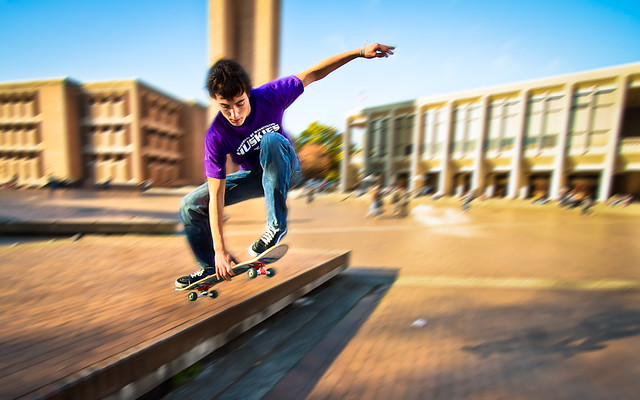
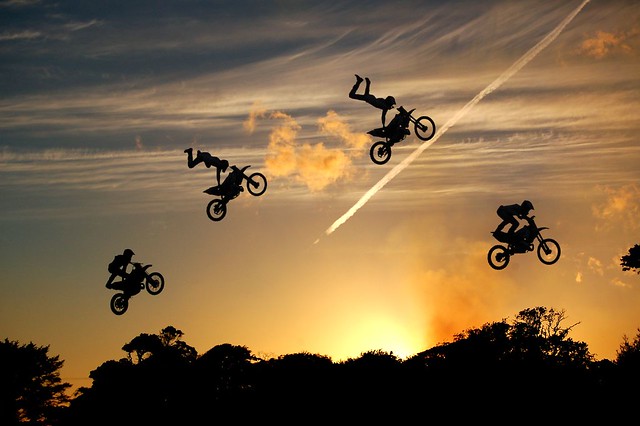
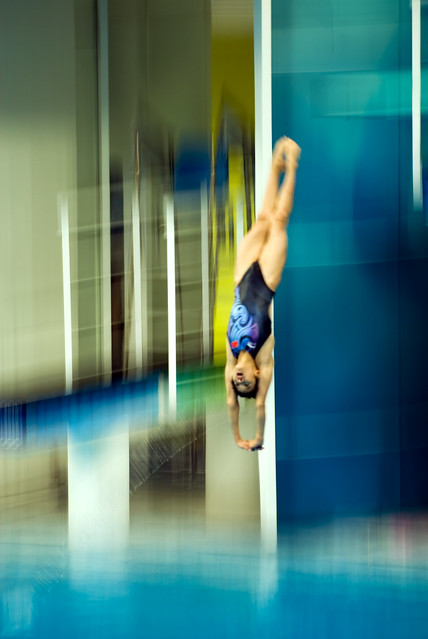
Panning – one of the main causes of blurry photos with digital cameras is shutter lag – the time it takes from when you press the button to when the picture actually gets taken. One professional “trick” that will help to overcome this is panning. Panning involves moving the camera in the same direction as your subject, so you’re tracking the shot. With practice, you’ll be able to use a low shutter speed with panning to create blurred motion effects to heighten the impact of your composition. 

Photo by Geraint Warlow

Continuous Shots – digital cameras give us the freedom to take as many photos as we want – and then delete the ones we don’t like. With action shots in particular, you can take a sequence of photos to find the best shot that really captures the moment. Most newer models of cameras have the ability to take continuous shots, but again be wary of shutter lag and the write speed (the time it takes for the image to be stored on your memory card).

 
Photo by Aristocrats-hat


Get off the Automatic – many of us camera newbies prefer to leave the settings on automatic, which is a good idea if you’re not sure of your equipment and you don’t want to be fooling around with settings in the heat of the moment. Once you’re more familiar with the operations, try experimenting with shutter speed and lighting. Fast shutter speeds mean clearer pictures but will need more light, while slower shutter speeds, combined with panning, can create awesome effects to enhance your photos. 

Photo bycmaccubbin

Enjoy the moment! – Don’t spend the entire time peering through the view finder looking for that one perfect photo. Ultimately photographs are for sharing and capturing a memory – so be in the moment to remember.


Written by Canon Australia

Saturday, 17 September 2011

Going Retro - The Growing Interest In Vintage Photography

Photo by Tetsumo


It started with vintage fashion, artwork and home wares. Then the craze moved to music, with collectors everywhere seeking out vinyl records for a bit of retro cool. Now the enthusiasm for all things vintage has trickled down into the realm of photography, with both amateur and professional photographers seeking ways to lend their photos an air of authenticity with a white instant border or grainy overlay. 


Photo by mayrodrigo


Even poor-quality cameras and photos from decades ago now have something of a cult fan base, with many old-school camera models often selling for hundreds of dollars on online auction sites. Thankfully, with modern technology and a huge, ever-growing range of fun applications, anyone can get instantly-artsy retro photos. Aside from the huge number of mobile applications available, here's a list of options to make your photos a little more interesting:. 


" Pre-set camera modes - Forget simple black & white, negative, or sepia colour effects. Many people don't realise that digital cameras available today, such as the Canon EOS 60D, still offer built-in creative art filters such as soft focus, toy camera, grainy black & white, and Polaroid effects, so you can easily take unique, vintage-style photos on your compact digital camera or digital SLR. 

Photo by Aaɾon


" Photo editing software - depending on how in-depth you want to go with your vintage photo apps, there are a number of programs that you can download to your Mac or PC. Poladroid is a free downloadable desktop program for making random, old-style photographs with a white instant border. For more control over how your photos turn out, CameraBag is an inexpensive program which lets you layer different effects and borders, with additional filters available on their website. 

Photo by dionhinchcliffe


" Free online services - Services such as Phix and Picnik offer in-browser options for those who don't want to download programs onto their desktops. There's a huge range of customisable editing options, or you can just hit the 'random' button and let the program do all the work.


Written by Canon Australia

Monday, 12 September 2011

3 Steps to Wedding Photography Preparation


The failure to prepare, is preparation to fail. – John Wooden

While this may have been applied to basketball at the time of the quote, this principle applies to many important things in life, including wedding photography.

This preparation for the wedding day can be followed in three steps. Treat them like wedding rehearsals. Let's see how.
Photo by jurvetson


A Few Months Before 

A few months before the actual wedding, a tulsa wedding photographer should try and do a planning ‘run through' with the wedding couple, and plan out the day. You may not have all the details chosen yet, but it is a good starting point to get things narrowed down. An experienced photographer can also help you with ideas that you may not have thought of, and details to consider.

Another thing to potentially plan for is a "photo-run-through" aka, engagement photos. As a photographer, you get to know the couple even further, learn about their personalities, and get them ready for feeling comfortable when posing for pictures. Besides these advantages, you get the opportunity to discuss style with the wedding couple, and inquire more intricate details they would want to incorporate in their wedding photos.
Photo by seanmcgrath


You can also use this time (either in addition to, or in place of) to do bridal portraits. Usually featuring the bride and her dress, many times at the place of the ceremony (or at another scenic location) the bridal portraits offer the bride a chance to get some beautiful shots that she and all of her family members will want to keep, and possibly more importantly, gives the bride another excuse to be the princess if the day. Getting dolled up, hair and makeup done, and donning the dress that she plans to be married in is a great run through for the big day.


One Week Before


This is ‘making sure' rehearsal for the wedding day, in order to ensure the same situations discussed previously are still on the list. 
Most important shots like pre-ceremony and post-ceremony shots of the couple or the group shots should be planned at this time. Shot sheets that feature specific family member names can also be very helpful in organizing the day, since it is difficult to off hand remember every shot you may want, especially in the whirlwind of the day. 


Photo by fomu

Most important shots like pre-ceremony and post-ceremony shots of the couple or the group shots should be planned at this time. Shot sheets that feature specific family member names can also be very helpful in organizing the day, since it is difficult to off hand remember every shot you may want, especially in the whirlwind of the day. 


The Night Before


Sleep well! Your big day is ahead of you, and your photos are the last thing you will need to worry about. With the preparation you have gone through for the day, everyone should be on the same page, and you are free to enjoy your big day!


Written by Jake Aldrich
Epic Photography Tulsa


Tuesday, 6 September 2011

Portrait Photography: Four Steps to Creating a Blurry Background


You can create a blurry background in your portrait photography with a very simple process.
When you are photographing people, a soft focus background can help rid your photo of any potential distractions. This effect is called a shallow depth of field.

With a shallow depth of field, just the face or person would be in focus, and the background would be progressively blurry. In a longer depth of field, your subject and everything in the background is sharply in focus.

Here are the four ingredients to consider when creating a dramatically shallow depth of field:

Photo by peasap
Wide aperture. One of the first lessons in manipulating exposure is that the size of your shutter controls your depth of field. The larger the shutter opening for each shot, the smaller the amount of your photo will be in focus. Choose lower numbers, like f4 - f2, to get the most dramatic effect. Remember that aperture f-stop numbers work in reverse; the lower numbers represent the larger openings.

Distance to your subject. Getting close to your subject is a great composition principle anyway, but it is even more important when you want to knock out your background. If you are 10 feet from your subject, it is much easier to create a shallow depth of field than if you are 50 feet from your subject.


The amount of zoom: When you zoom in, you compress the elements of your photo, so everything behind your subject becomes more dramatic. A wide angle lens might not create a shallow depth of field, but if you zoom in a telephoto lens to 100 mm to 200 mm, the results become far more dramatic.

Size of your sensor: Your sensor size will impact the final quality of your image in many ways. Making your background blurry is just one of them.

Don't try to get a shallow depth of field with a camera phone. The sensor is so tiny, you won't see much effect. With a compact camera (point and shoot), it is possible to manipulate depth of field, but difficult. With a DSLR, you can start to see really dramatic effects because the sensor is much larger. Use a full frame digital sensor camera, and the results will be incredible.

Blurring out your background is one of many composition techniques you can use to create great portrait photography. With four easy ingredients, you could be on your way to making outstanding pictures.
About the author
Lynford Morton is founder and lead instructor of PhotoTour DC, where he teaches photography principles on walking workshops around Washington, DC. He shares and insights and resources at http://www.PhotoCoachPro.com. Register for photography workshops in Washington, DC at http://www.phototourdc.com.


Wednesday, 31 August 2011

Portrait Photography Tips For Beautiful Portraits

Photo by Toni Frissell

The skills to take great portraits will depend on after having a few essential "rules" I've reduced to those portrait photography tips. Even if you're just starting out, following these pointers may help you in improving your portraits.

Styles of Portraits
First, you must view the unique variations of portraits that you can take. You will discover three basic kinds of portraits. They are 1) close-ups or head shots, 2) head and shoulder shots and three) environmental shots. An eco shot is a form of portrait the location where the photographer targets on individual in addition to the environment that surrounds the subject. This sort of shot provides character into the subject.

The level of portrait you decide on depends on the aim of the portrait and therefore the mood you need to convey. An even more formal portrait, for example, might feature a maximum body shot. A less formal portrait will be an environmental shot. An incredible environmental portrait may be accomplished given that you frame the earth and the subject well. Arches, doorways and windows can be employed to your advantage for framing an eco portrait.

Portrait Photography Tips: Posing

In addition there are various methods the location where the subject should be posed. Most of the best portraits are taken if the subject is simply not looking into the camera. The fact is, great portraits are usually taken in the event the subject is utterly comfortable and natural. Permit the susceptible to sit or stay comfortably.
Photo by Astragony


You may have them sit on a chair or simply on to the ground. Get them to be comfy. If you want a lesser relaxed look, you can move in better concentrate on a face shot.

Portrait Photography Tips: Depth of Field and Focal Length


Both depth of field and focal length are critical to creating great portraits. If you have a shallow depth of field, the point of interest shall be sharp while the rest becomes blurry. This may avoid the background from distracting the viewer's attention by way of subject.

Photo by Julija...!

A better aperture setting can result in a shallow depth of field which includes a background this is softer even though the subject is sharp. Likewise a smaller aperture setting can lead to both the foreground as well as background appearing in focus and sharp.

Zooming or walking in closer will encourage you to fill the frame while using subject of the portrait. This isn't going to indicate you should do a facial or close-up shot. Filling the frame with the subject will still help you to gain a 'tight' full-body shot.

Portrait Photography Tips: Lighting


Photo by DerrickT

Lighting is essential that you good portrait photography. There are many styles of lighting you can use in portrait photography. Main light should typically be diffused or you may have results that are too harsh. You may diffuse the main light by placing something nearly transparent concerning the main light as well as the subject. Generally, an important light must be positioned approximately 45 degrees either to the left or even the right of a portrait subject.


Fill lights are also used, typically opposite the key light source. Fill lights need to be utilized on less intensity in comparison to the main source of light; however. One of the advantages of fill lights are they can soften shadows which may be created owing to the primary light.

Side lights or hair lights will supply lighting for that subject's hair. This could certainly give your portrait depth and might also help in separating your subject at the background.

The capacity to take great portraits depends upon following a few essential "rules" I've boiled down in order to those portrait photography tips. Informed, searching a newbie, following these tips could help you in boosting your portraits.

Sunday, 28 August 2011

How to Photograph Fireworks - Fireworks Photography Fundamentals

Whatever the season, fireworks have always been used to mark big events. Photographing these fireworks can be tricky but in this article are some tips to get the best pictures possible.

Fireworks Photography Fundamental 1 — A Slow Shutter Speed.

A skyrocket takes time from the moment it's launched until the last burst of its color fades. As the rocket sails skyward, the crowd has time to exclaim "Ooh!" Then as it explodes in a burst of trails of color, the crowd has time to exclaim, "Ahh!" From launch to fadeout takes a few seconds perhaps ending with a stirring "bang." Your exposure, therefore, should be long enough to capture part, or all, of this time-consuming progression.
Shooting with a digital camera is somewhat like shooting slide film. If you're not careful, you can overexpose and lose detail and color in the highlights. Since fireworks are, by definition, highlights, using a digital camera to capture them can be tricky.
How long should your exposures for fireworks photos be? At least one second, sometimes two seconds, and some even longer. Shorter exposures don't always capture the full burst and longer exposures tend to produce washed-out results. For example, if you were to set your exposure for, say, 1/500th, not only will the lens be open for only a fraction of the rocket's progression, but the exposure may also be too brief to record any image at all! If you have a B (Bulb) shutter speed setting you can use it to control exactly how long your shutter is open. This is a great option. The trick is to open the shutter right at the beginning of the burst and close it when it reaches its peak. Anticipating the explosion can be difficult, but not impossible. If you don't have a B setting you can choose a fixed setting, such as 1 second.
The best way to tackle a long exposure will depend primarily on what kind of camera you're using. Let's examine how this works with different types of cameras.

DSLR Cameras

It's easy for you to select a long exposure time using a DSLR (digital single lens reflex) camera. If you're using a manual mode, you can select a long exposure time by setting the shutter for one-to-thirty seconds or by using the B (or bulb) setting. You can also use the shutter priority mode to control the shutter speed. For the bulb setting you will need a cable release.

Digital Point-and-Shoot Models

You've got to hand it to camera designers — they've dreamed up a number of exotic modes that appear on some camera models. What exactly is "party mode?" That's outside the scope of this article, but there are a few cameras which feature a "fireworks mode" that will give a long exposure. Don't worry if your camera doesn't feature a whole host of "modes." Most of them are baby steps for inexperienced photographers. If your camera has manual settings — which most digital point-and-shoot models have, just figure it out using the manual or trial-and-error going through the menus.

Fireworks Photography Fundamental 2 — Choosing the right aperture.

What aperture should you use? Your f-stop will be based on the ISO you select.
You might think that because the sky is so dark you need a wide aperture. Just the opposite is true. Remember, your objective is not to record the dark sky except as background. You want to record the intensely bright streaks of color. Were you to use a wide open aperture during your time-exposure, you would probably overexpose the colors. Result: They would "burn out" and lose coloration. To intensify the color, therefore, use a smaller aperture like f/8, or f/11, or even f/16. As with your choice of shutter speed, you will have to set your aperture manually. Which you should use depends upon your digital camera's ISO setting (or the speed of your film), and the intensity of the color bursts. We suggest you bracket your shots, using different apertures.
Using one of the suggested apertures listed below, you can use your preview to test and then compensate the aperture accordingly.

ISO SETTING APERTURE RANGE
ISO 100 ƒ/8 to 16
ISO 200 ƒ/11 to 22
ISO 400 ƒ/16 to 22

This chart will work with most digital cameras that allow you to set shutter speed and aperture. Most of the sophisticated digital point-and-shoot models permit the photographer to set these controls. If you've never done this before, you'll have to figure out how to use these controls by looking at your camera's instruction book. If you're using a digital SLR, then try these settings too. Naturally, you'll check your results by reviewing your initial photos on your camera's LCD panel, until you get the exposure that looks best.

Fireworks Photography Fundamental 3 — Setting the ISO

Typically, noise/grain is not a problem in this type of image. We recommend that you use ISO 200, or 400. The important point is that you don't need a very fast ISO; in fact super-fast ISOs may overexpose the firework display. Very slow ISOs - for example, ISO 100 - may not be sensitive enough to capture the display. (Remember, while your shutter will be open for a second or two or more, the actual appearance of the "rockets red glare" will last only a fraction of a second in any one place.)
Since many of today's digital SLRs offer good results at high ISOs such as 800, 1600 and 3200, why not use a faster ISO? The answer is simple - you don't need to. You want a long exposure time, and as we've mentioned elsewhere, the bursts of the exploding fireworks are bright enough to etch themselves onto low ISO sensor settings such as 200 or 400, even with a medium-size aperture setting. A higher ISO would just run the risk of overexposed washed out colors. We also suggest, because of the brightness of the fireworks vs. the dark night sky, that you avoid using the "Auto ISO" setting, one that we don't use much anyway.

Fireworks Photography Fundamental 4 — A Solid Platform.

Regardless of your camera, once you've worked out the shutter speed/aperture/ISO combination, the key to success is a solid platform to hold the camera motionless during the time the shutter is open. This is pretty much a requirement for all time-exposures or shutter speeds slower than 1/30 of a second. Obviously, the best platform of all is a tripod. It provides a solid, easy-to-carry base on which to hold the camera motionless during the exposure. It also allows you to easily position the camera at the proper elevation. All DSLRs and almost all point-and-shoots have a threaded opening on the bottom that permits you to attach the camera to a tripod.
A tripod is just the beginning. You also want the camera to be as vibrationless as possible during the time-exposure. Since pressing the shutter button can cause the camera to vibrate, you can avoid this by also using a cable release. The cable release enables you to press the shutter button without touching the camera directly. Result: It helps minimize camera shake.
Advanced Hint: For the ultimate in steadiness, on some professional DSLRs you can lock the mirror in an up position. Why do this for fireworks photos? Because when you take a normal picture with an DSLR, the mirror snaps up during the moment of exposure, then snaps back so you can set up the next shot in the viewfinder. When the mirror snaps up, it causes the camera to vibrate for a moment. While this vibration is usually tiny, if you're a purist and want the steadiest possible time-exposure, you can eliminate this vibration totally by locking the mirror in its "up" position. Of course, you can't frame the next shot in the viewfinder if the mirror is locked up. But this may not be so big a problem as it seems. After all, typically, fireworks appear in only one specific segment of the sky, so once you've aimed your camera-on-tripod in that direction and framed the shooting area, you can lock the mirror up unless you have to reframe for different shots.
Back to basics:If you don't have a tripod handy (or you're using a camera that doesn't have a tripod thread), don't give up. Try placing your camera on a makeshift solid platform, such as a fence post, a railing, or a wall. None of them is as steady or convenient as a tripod, but they're infinitely better than hand-holding.
A word of warning: If, by any chance, you are on a rocking boat when trying to capture fireworks photos, your tripod or the ship's rail or whatever you use as a "platform" will rock along with the boat. Result: In your time-exposure the firework color-streaks will come out rocking and wavy instead of straight. This may be interesting modern art - though we doubt it! - but it's definitely not good firework photography. It won't look right! Our advice: If you are on a rocking boat, don't bother to photograph the fireworks. It's a waste of time.

Fireworks Photography Fundamental 5 — Composition

Which way should you hold the camera? Typically, you'll be better off with a vertical format rather than horizontal. After all, the trail of a skyrocket is usually upward and not very wide. However, a final decision about the frame you use will also depend on the size of the crowd viewing the event, your position in that crowd, and the number of spots from which the fireworks will be deployed. For example, in New York City, Macy's Department Store has sponsored the Fourth of July fireworks display. The shells are launched from a string of barges in either the East River or Hudson River that's almost a mile long. That means you might be able to fill a horizontal frame with six or more bursts at one time, so it would probably be a better choice than a vertical one.

Position yourself wisely.

Take a little time before the show to scout the location. If it's a smaller show, you may be able to chat with the pyrotechnic crew beforehand. To get the best fireworks photos with a digital camera, point-and-shoot or DSLR, try to determine where the fireworks will be launched and then try to find a clear, unobstructed view that meets your compositional requirements based on the terrain, the height at which the fireworks will explode, and your lens choices. You don't want to be in the middle of a crowd, with people wandering in front of the camera, or worse, bumping into your tripod mid-exposure. Steer clear of artificial light sources such as streetlights to avoid the possibility of light flare. Watch out for tree branches that can sneak into your composition too.

Focal Length.

What focal-length should you use? If you're close to the display, and if you have a choice, go for a "normal" or slightly wide-angle lens. Since your position relative to the rocket bursts will determine the exact focal length, use this as your guide: You want the frame of your image to extend so that it includes a good bit of the foreground in the bottom (more on this in a moment) and a "head-room" above the topmost firework trails. Chances are you'll need at least your normal and possibly a wide-angle setting for this. If, on the other hand, it's a world-class display that draws a "world-class" crowd, you may be further away from this display and need to use a longer focal length.

Foreground Subjects with Fireworks

Now, there's an additional step to consider that can take your fireworks photos out of the ordinary and make them extra-special. The burst of a skyrocket, by itself, is pretty. But it's not particularly interesting. What can you do to add interest? Try this: Don't just shoot the burst by itself, but shoot it in conjunction with something else. For example, look how much more interesting this picture is because the paths of fireworks are incidental to this picture of the Capitol Building. Since you may not have the Capitol in your area — or even its equivalent — what can you use to add similar interest?
Consider including a statue in the foreground, with the fireworks framing it. Or silhouettes of the onlookers to give a sense of location to your picture. Or a tree, a building, a bridge, a skyline. Or...you fill in the blanks. The important thing is that your image include some interesting foreground objects — perhaps, framed within the fireworks display.

Fireworks Photography Fundamental 6 — Use the highest Quality-setting.

By choosing a high Quality-setting you will reduce the amount of compression applied to your images. JPEG compression degrades image quality and can even introduce artifacts into your image. This is a particular problem for this subject matter because compression artifacts are typically found in areas of high tonal and color contrast, like the bright colored light of fireworks bursting against an inky black sky. Less compression means fewer image artifacts and ultimately better image quality. Unless you have a top-of-the-line pro DSLR, don't expect to be able to take photos of fireworks with a digital camera in RAW. Your camera will likely take too much time to write the image to the card and you'll miss getting some pictures.

Back to basics:

Whether you're advanced or not, there's one more "trick" for you to consider. Why limit yourself to just one rocket's glare? What about keeping your shutter open long enough to capture the glare of a few rockets exploding in air one after the other. To accomplish this, experiment with longer time exposures — ten seconds, 20 seconds, and even longer. You can get some dazzling results!
To sum up our fireworks photography tips, don't let any of the complications examined in this article discourage you. Firework photography is easy to take and make great photographs. Just remember the five Fundamentals: 1) Slow Shutter speed 2) Small aperture 3) Use a lower ISO 4) A Solid Platform 5) Composition 6) Use the highest quality setting.

While shooting, be aware that most firework displays have a rhythm that usually ends in a multiple burst of glory. If you want to limit the amount you shoot, hold back for this Grand Finale. But be wary. It may happen before you realize it...and then it's too late! So be sure you're ready for it. If the fireworks have a musical accompaniment — like Tchaikovsky's 1812 Overture — you can hear it coming. But often, you can't anticipate the Finale, so we can only admonish you to follow the Boy Scout motto — Be Prepared!

Source: http://www.articlesbase.com/visual-art-articles/how-to-photograph-fireworks-fireworks-photography-fundamentals-4984475.html
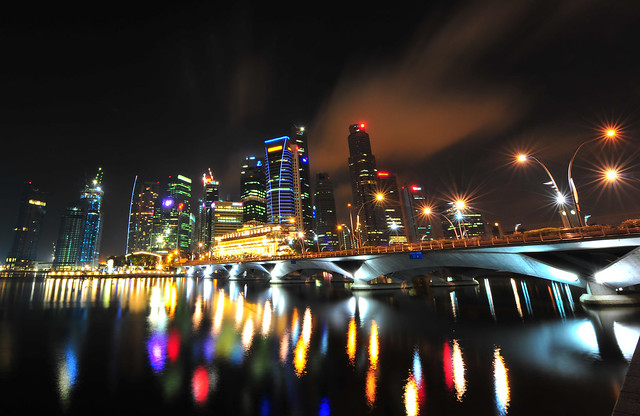
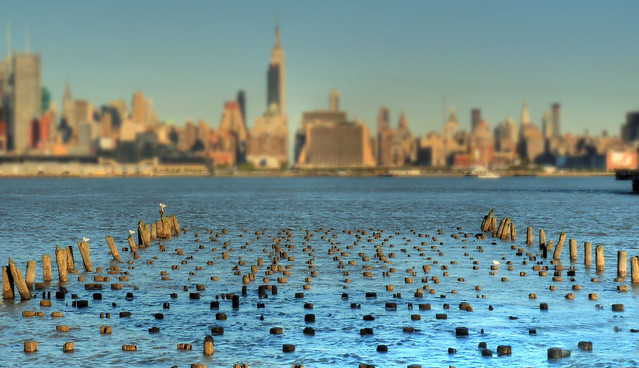
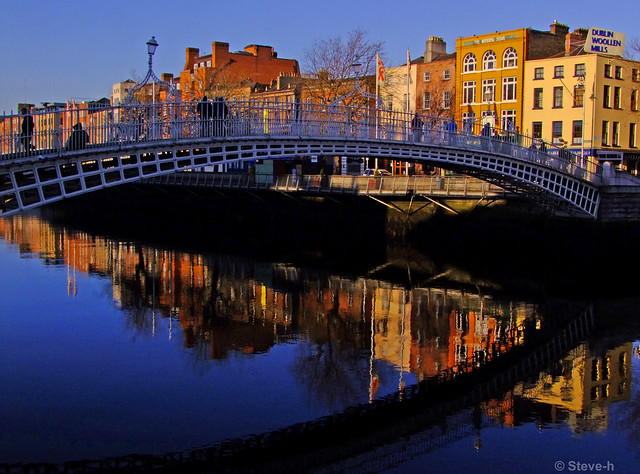
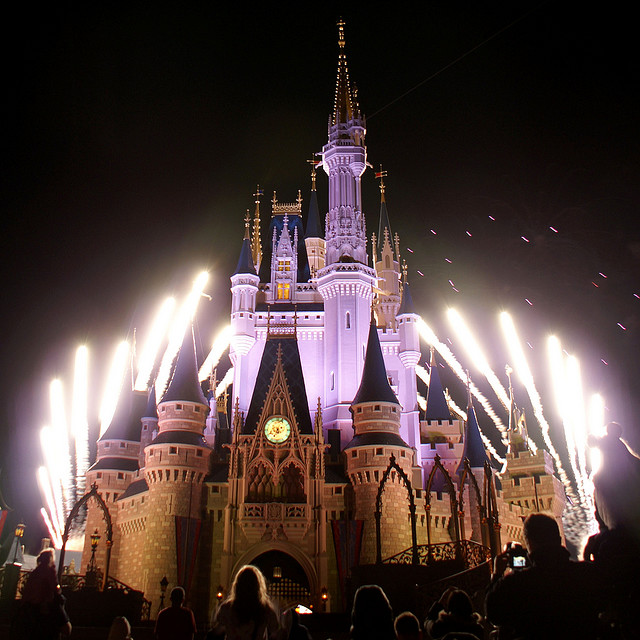
Photo: John_Brennan @ Flickr


Photo by CURZU@ 


Photo by JohnONolan

Photo by hyku

Photo by Dawn Ashley

Photo by  paul david

Photo by bdesham

Photo by miquitos